
Digital exam - WISEflow
Guide for home examinations and group examinations in WISEflow
Click here for video guide
3 steps for home exams in WISEflow
- Log on to WISEflow to see your exam
- Write your examination answer in your own word processing program (Word, OpenOffice etc)
- Log on to WISEflow, upload your paper as a PDF file, and hand in your paper.
Below is a more thoruogh guide, as well as a guide for group exams.
- Log in
- Choose your exam
- The exam page
- Collect the question paper
- Upload and hand in
- Group examination
Log in
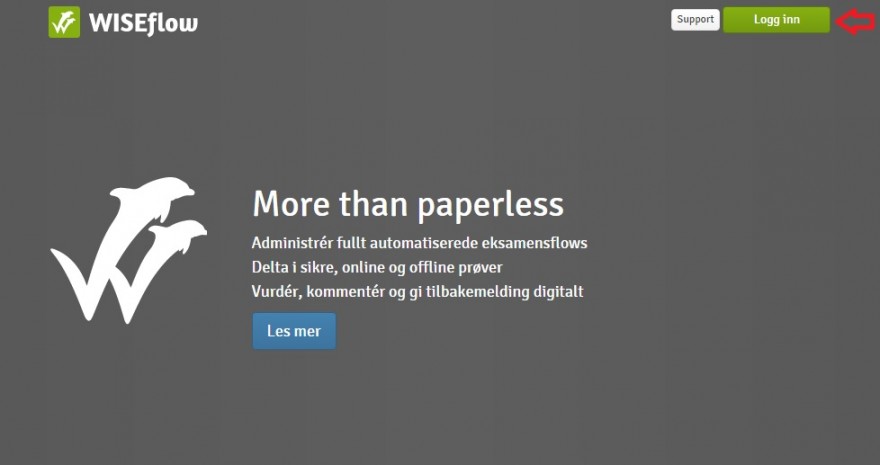
To see your exam, you have to log in to WISEflow. Go to europe.wiseflow.net. Click 'logg inn'.
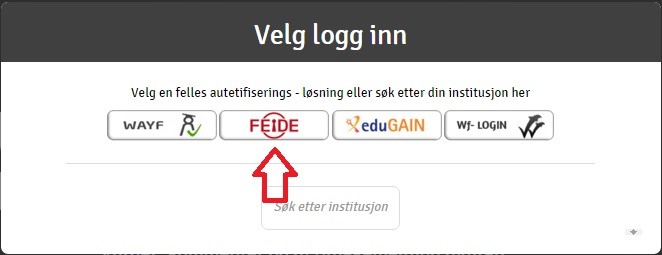
You will get four choices for logging in. Choose 'Feide'.
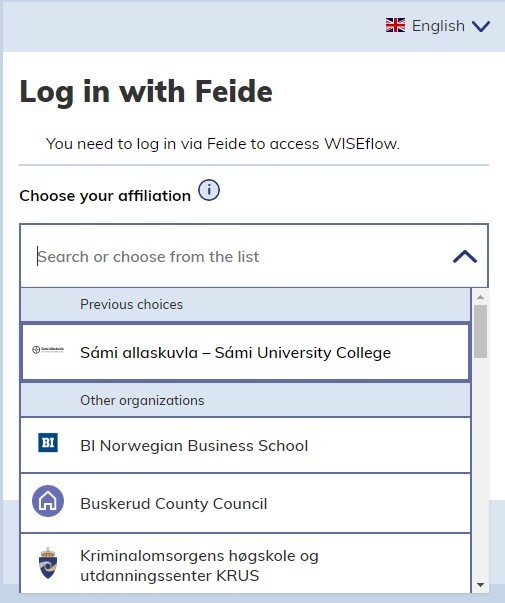
If Sámi allaskuvla is not chosen automatically, you will have to choose it from the pull-down menu.
Choosing your exam
Once you are logged in to WISEflow, you will see an overview of your WISEflow exams.
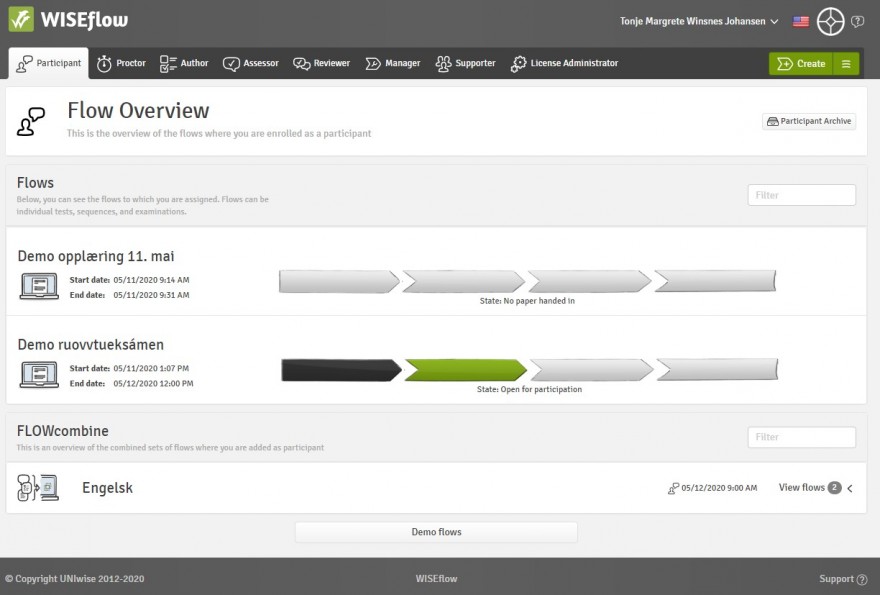
In addition to the exams you have registered for, you will find a test examination under the heading 'Demoflow'. You can use this to familiarize yourself with WISEflow.
Each exam consists of a statusbar made up of four stages. Stage one is the preparation stage, before the exam is open for participation. Stage two is when the exam is open for participation; you can now collect your question paper, and hand in your answer paper. Stage three is the assessment stage; this is when the exam is being assessed by the examiner. Stage four is after the assessment is finished, and the exam has been completed. The current stage of the exam is marked in green.
When an exam has entered stage two, you may collect the question paper. Click anywhere on the statusbar to enter the exam page.
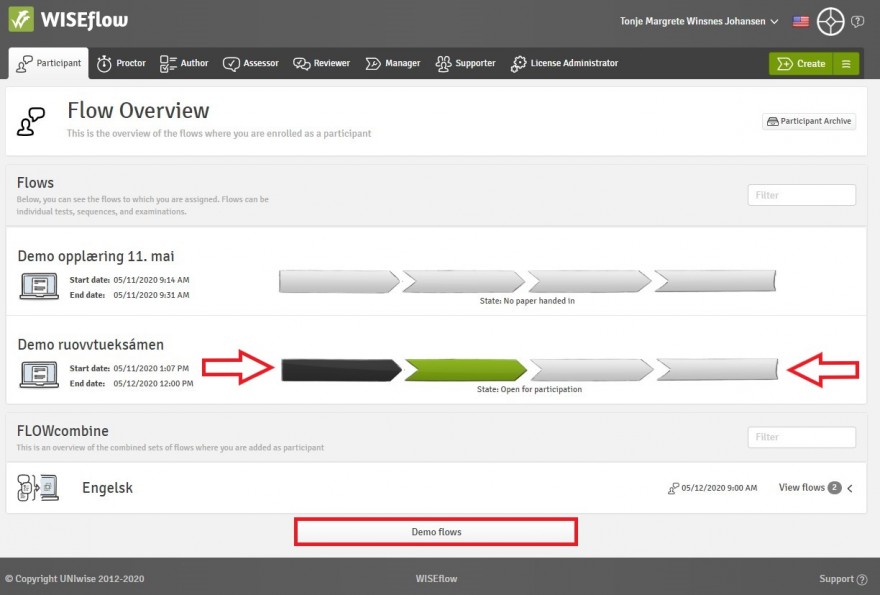
The exam page
You are now on the exam page for your examination.
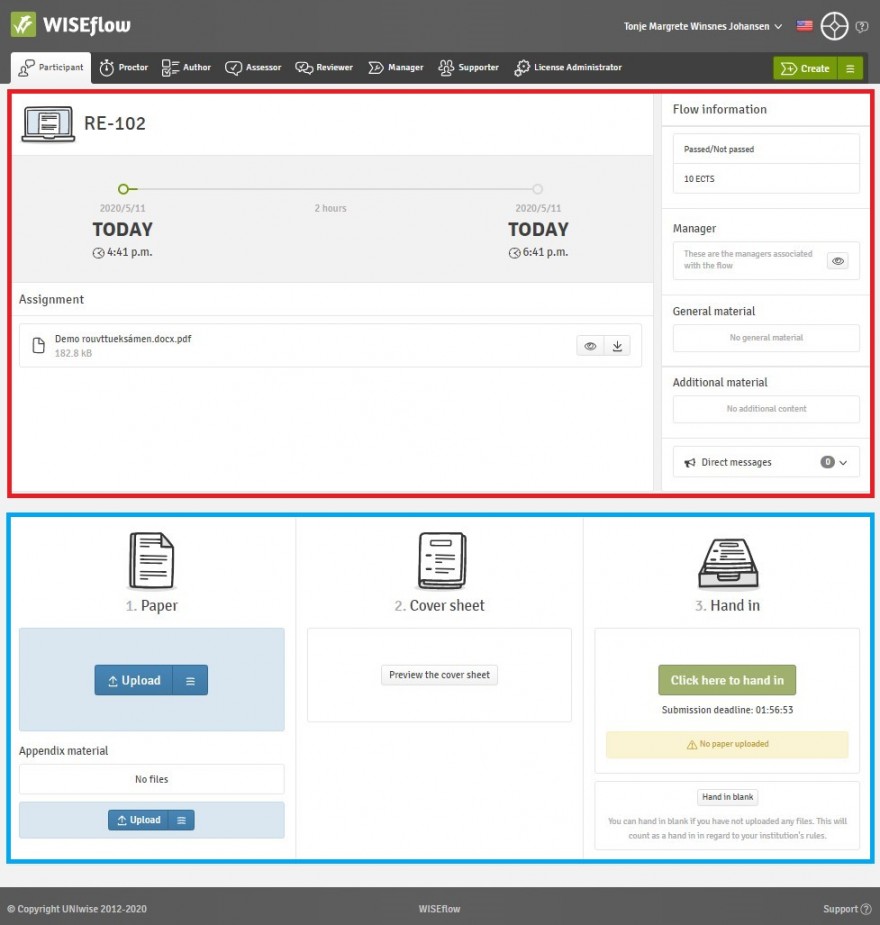
On this page you will find all the information necessary to complete the exam.
The upper half of the page (marked in red) consists of the information required when working on the exam: you will find the question paper, any appendix material, time left until the hand in deadline, course information and any additional material.
The lower half of the page (marked in blue) is for uploading and handing in your answer paper.
Exams with group examination as an option
If your exam has the option of group handins, then you will have to choose either to turn in the exam as one person or as a group. You can find guidelince for group handins here. If you do not wish to do the exam as a group you will have to choose the "one-person group" option.
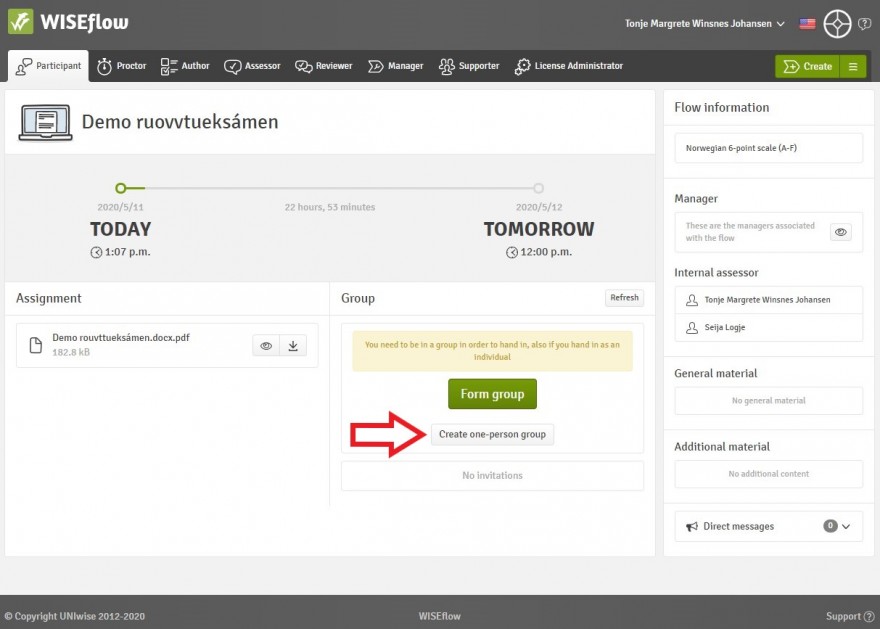
Your exam page will then look like this:
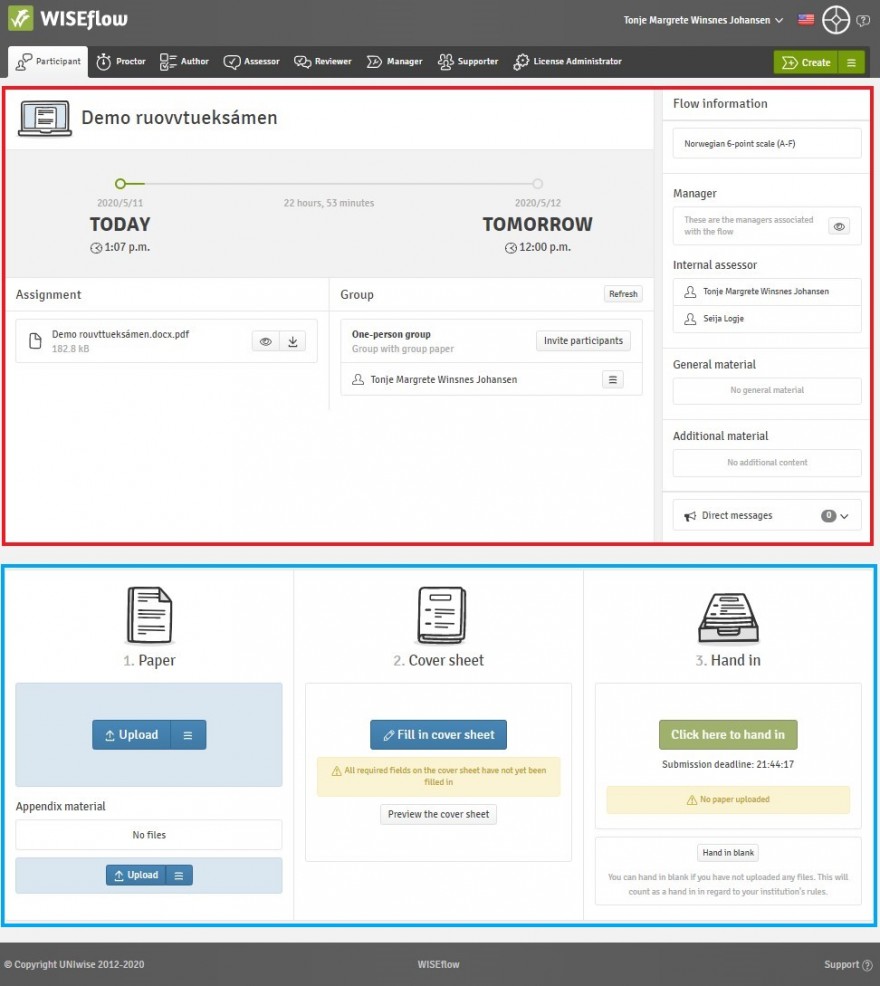
On this page you will find all the information necessary to complete the exam.
The upper half of the page (marked in red) consists of the information required when working on the exam: you will find the question paper, any appendix material, time left until the hand in deadline, course information and any additional material.
The lower half of the page (marked in blue) is for uploading and handing in your answer paper.
Collecting the question paper
You will find the question paper in the upper half of the exam page. You can either click the eye icon, to see the question paper in WISEflow, or you can click the download icon, to download the question paper to your computer.
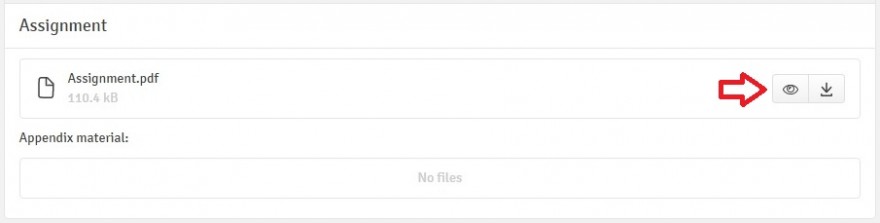
If there is any appendix material for the exam, you will find it under the heading 'Appendix material'.
Uploading and handing in the exam
Once you have completed your answer paper, you will have to upload it and hand it in. ATTENTION! These are two different actions in WISEflow -- you have to BOTH upload your paper AND hand it in!
To upload your paper, click 'Upload' under 'Paper'.
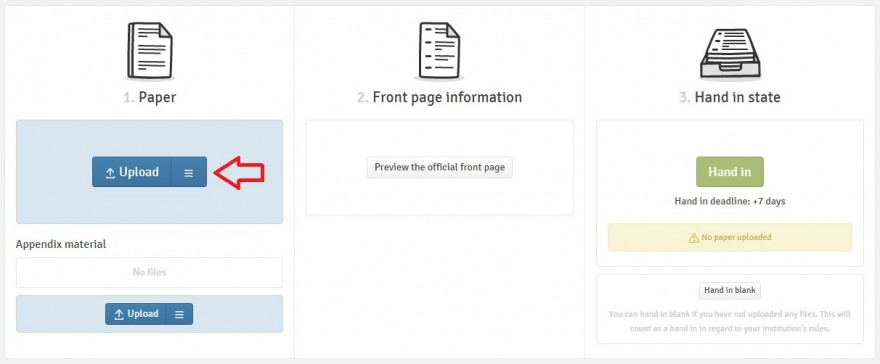
If you are uploading a file from your hard drive, you may click anywhere on the upload icon. If you are uploading a file from Dropbox, click the three stripes on the right hand side of the upload icon. The uploaded file must be a PDF. Use your candidate number as your file name, unless something else has been specified for your exam.
If you you need to upload appendix material in addition to your paper, click the upload icon under the heading 'Appendix material'.
After you have uploaded your paper, you will still have to hand it in to complete your exam. Click 'Hand in' under 'Hand in state'
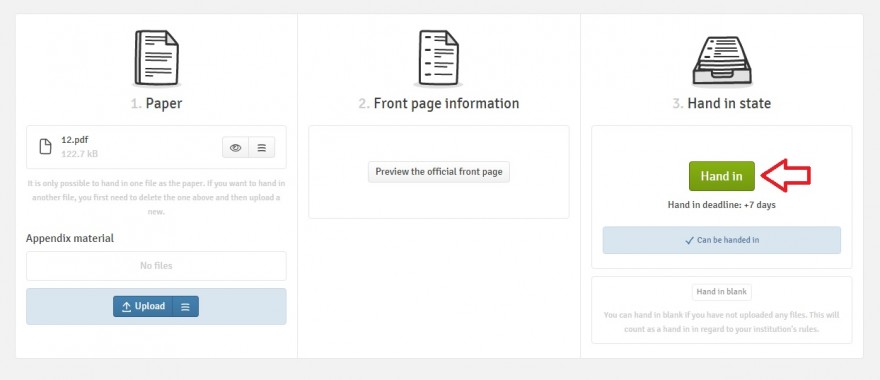
Your paper has now been handed in. You may now log out from WISEflow.
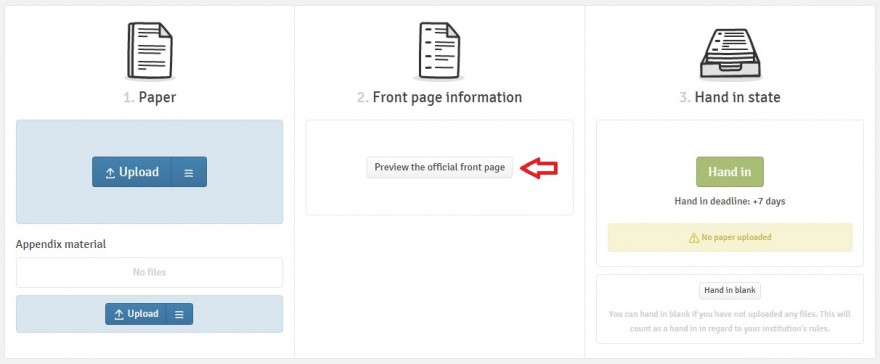
You do not need to make a front page for your paper; a front page is automatically generated by WISEflow. To view the front page, you may click 'Preview the official front page'.
You may order a receipt confirming that you have handed in your paper, if you wish. Click 'send receipt'.
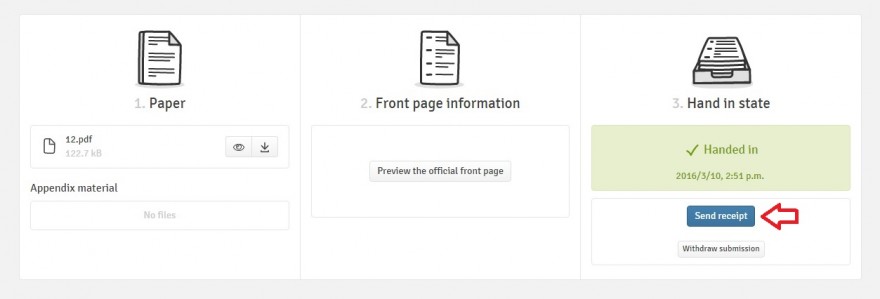
You will receive your receipt by e-mail.
If you have handed in your paper, but wish to make changes to it, you can still do so within the hand in deadline. Click 'Withdraw submission'.
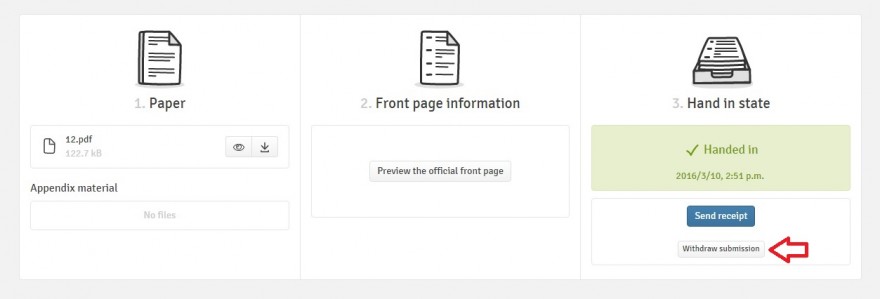
Once you have done this, you may upload a new version of your paper, and hand in the new version.
Group examinations
Before it is possible to hand in papers, groups must be formed, and participants must be invited to the groups. There is a box for groups on the exam page in WISEflow. Here you can form groups, and invitations to groups can be found. One member of the group forms the group and invites the other participants.
Click 'Form group'.
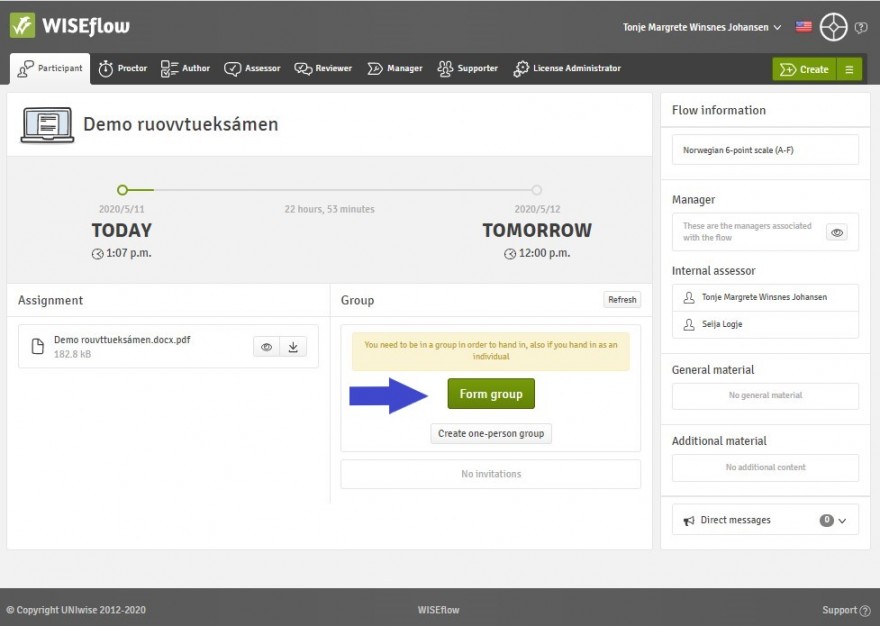
- Enter the name of the group.
- Invite participants. Type in the participants' names in the search field. Click to select the participant.
- Click 'Form group'.
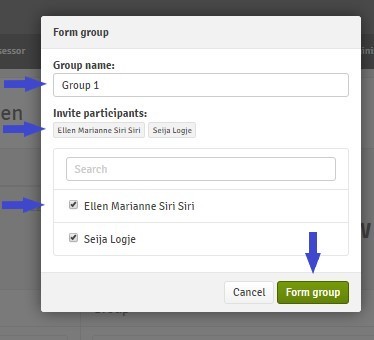
Only students who are registered for the exam may be invited to a group. It is not possible to be a member of more than one group.
When a group invitation has been sent, but not yet accepted by the invitee, the box will look like this:
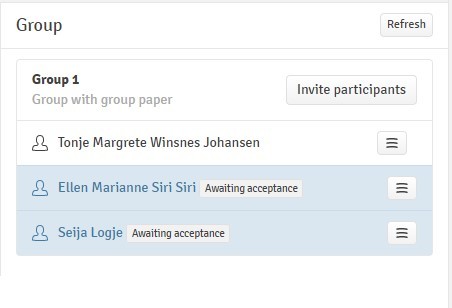
You will find group invitations in the group box in the exam page. Click 'Accept' to accept the invitation, or 'Reject' reject the invitation
BILDE MANGLER
When you click to accept, you will be prompted to confirm
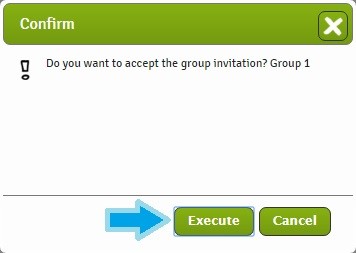
Once all invitations have been sent and accepted, it is possible to hand in the paper.
Only one single paper is to be handed in from each group. Any member of the group can hand in the paper, but make sure that only one member does. Handing in the paper is the same as for regular home examinations.
NOTE: It is not possible to add new members to the group once the paper has been handed in.
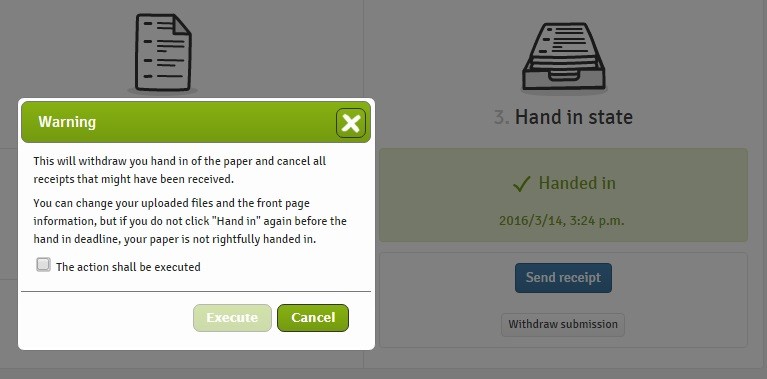
As with regular home examinations, the handed in paper may be withdrawn. If the deadline has not yet passed, you may upload and hand in a new version of the paper. Any member of the group may do this.
Under 'Hand in status', you will see when the paper was handed in. You may order a receipt by clicking 'Send receipt'. The receipt is only sent to the person who ordered it, it is not sent to all group members. All members of the group may order a receipt, but they will have to do so individually.